
The Kitchen Display System (KDS) is integral to restaurant operations, ensuring that guest orders are processed accurately and promptly. This system enhances efficiency and boosts sales by streamlining the food-service workflow.
Orders taken at the Point of Sale (POS) by cashiers are sent directly to the KDS, where kitchen staff can quickly see and manage them.
This case study highlights our journey to design a user-friendly KDS that streamlines order management and boosts efficiency for kitchen staff navigating fast-paced, chaotic restaurant environments.
NCR's existing kitchen display solution was outdated, prompting the need for a new product offering with a modern Kitchen Display System (KDS).
The objective was to develop a user-friendly system that streamlines order management and significantly boosts efficiency for kitchen staff in fast-paced, chaotic restaurant environments.
Designing for a KDS presented unique challenges. The KDS should display information promptly for kitchen staff and allow for easy interactions.
We needed to show a lot of order details on the KDS such as the order/table number, statuses, and notes/modifiers in a limited space. It was crucial to find a balance between showing everything and not overwhelming kitchen staff.
Based on our preliminary discovery and research (via surveys), we found that the design also needed to be legible so it was readable from at least a 3 foot distance. We consulted with accessibility experts in our team to address motor, cognitive, and vision challenges users may encounter.
Kitchens are messy, chaotic, loud, and high-pressure. The KDS interface needed to be intuitive and clear to minimise cognitive load on kitchen staff. We explored different visual cues to call attention to the most critical tasks.
Also, kitchen staff often either wear gloves or have wet or greasy hands, limiting their interaction options. The design needs to account by being responsive to provide ease of use even with gloves.
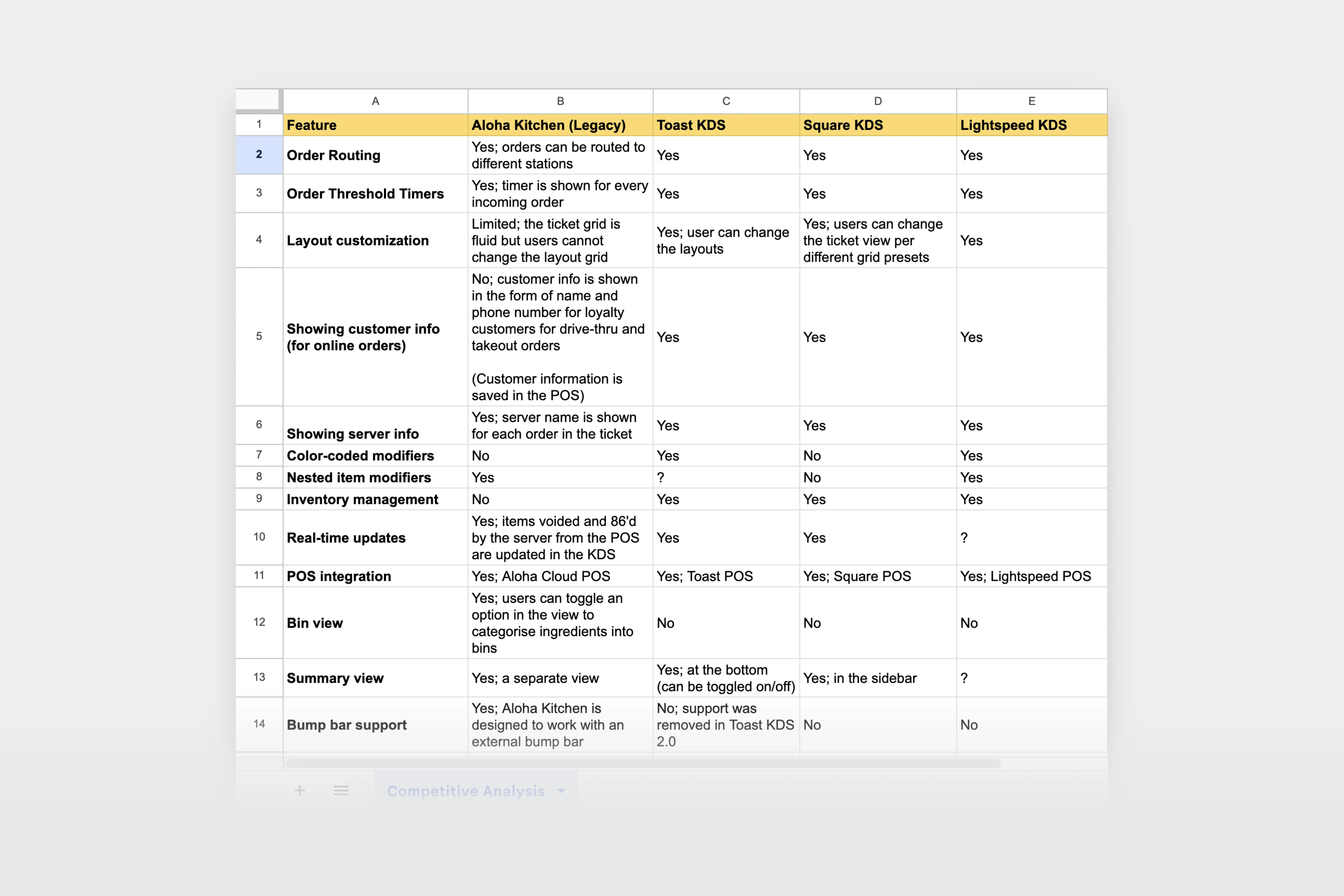
Our research and discovery phase included a competitive analysis of KDS solutions, followed by persona generation through surveys and interviews with users and key product stakeholders. Additionally, we used an impact-effort matrix to identify and prioritise key features for our KDS.
Our discovery process began with a comprehensive feature audit of our competitors' kitchen display solutions.
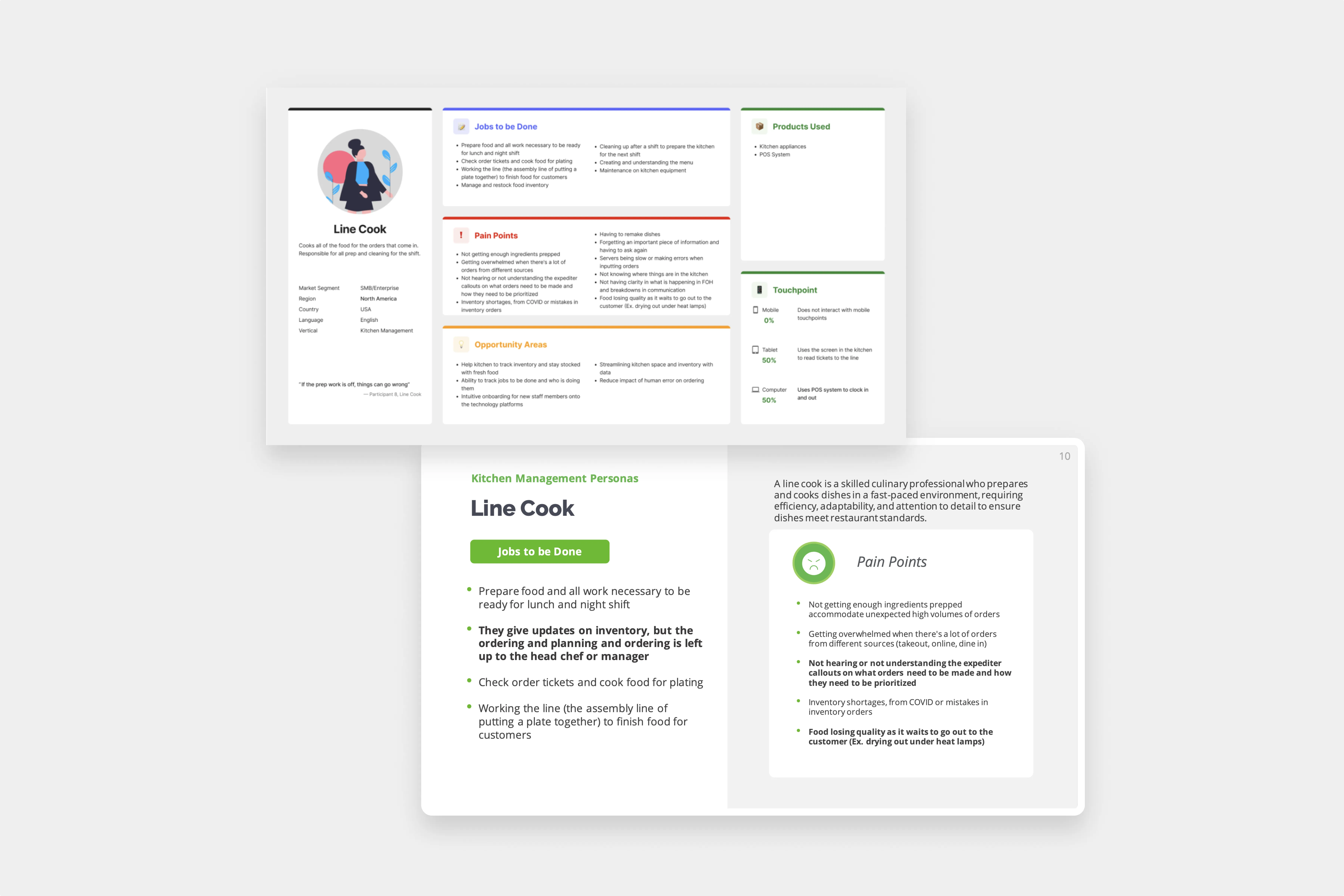
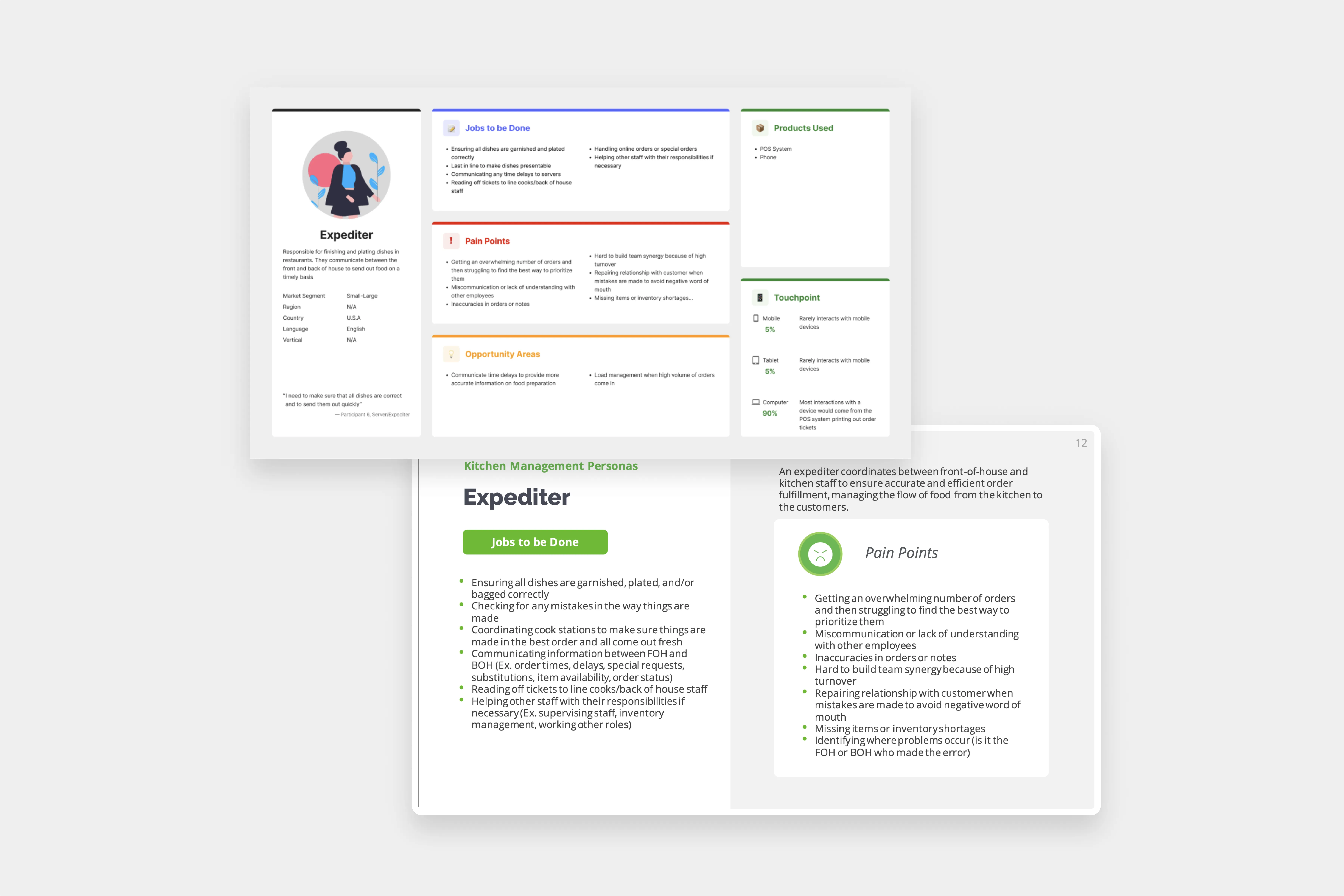
To effectively address the needs of various kitchen roles, we developed detailed user personas. These personas helped us understand the challenges and requirements of each role, guiding our design decisions.
The KDS has two user groups — the Line Cook, and the Expediter.
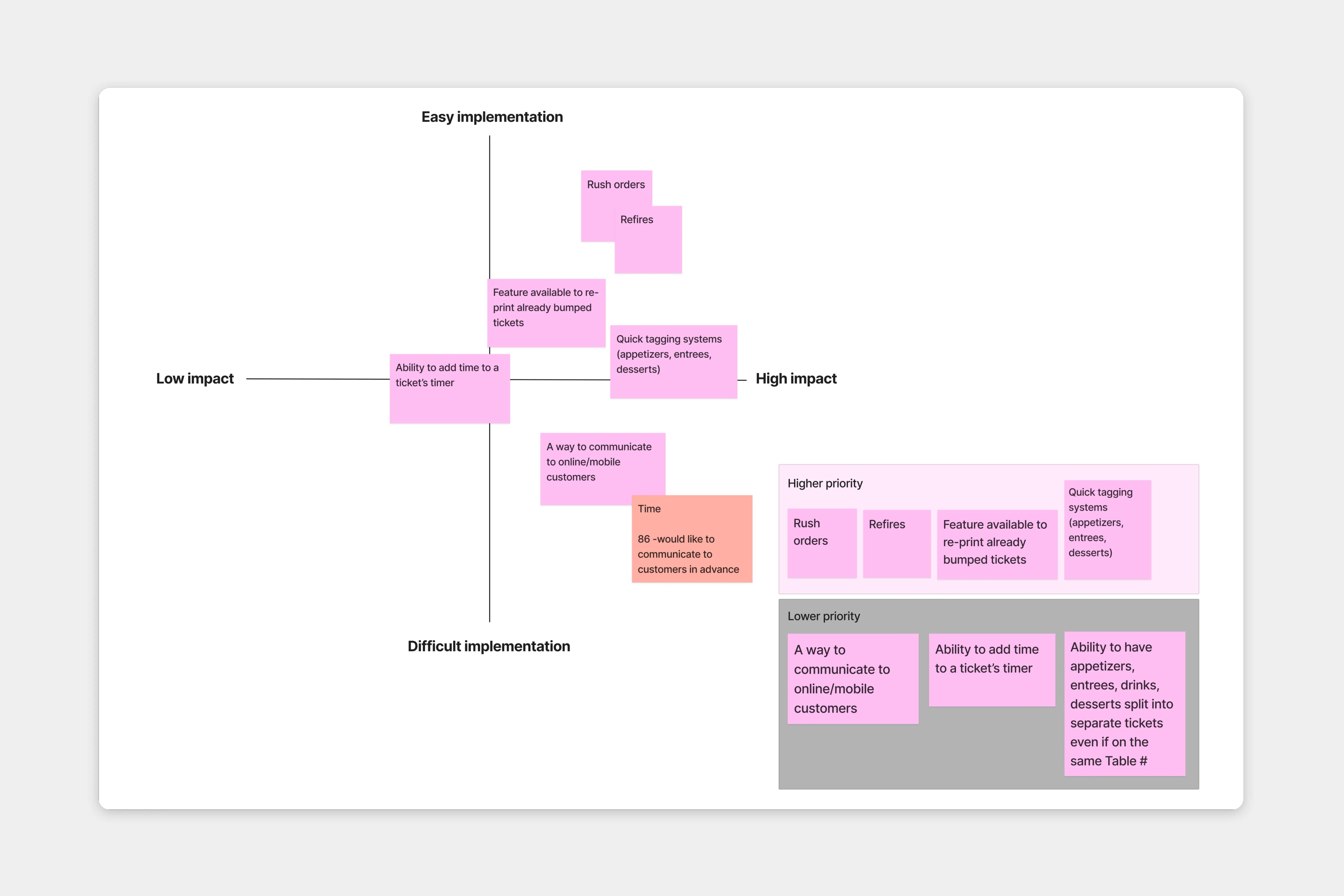
In designing the new Kitchen Display System (KDS), it was crucial to prioritise features that would deliver the most significant benefits to users, while considering the complexity of implementation.
To achieve this, we used an impact-effort matrix, which allowed us to categorize features based on their potential impact and the effort required to develop them.
Since we had a lot of information to show per ticket on the KDS, we decided to focus on the content hierarchy. To that end, we conducted remote surveys with a group of kitchen cooks and expediters to identify the most crucial on-screen elements for their workflow.
Intentionality and purpose was the driving force behind our design decisions — we wanted every element to have purpose and convey meaning to cooks and expediters. The KDS has a very limited space, so there was a lot of emphasis on showing only essential/relevant information.
During the course of our design process, we conducted remote tests at different UI iterations with kitchen staff to determine ticket readability at varying distances. Based on the feedback gathered, we adjusted the type by adding kerning so each letterform is distinct, adding to legibility (inspired by road signages in real life).
Additionally, we addressed color vision challenges by selecting colors with clear hue distinction, ensuring ease of differentiation and minimizing the risk of confusion.
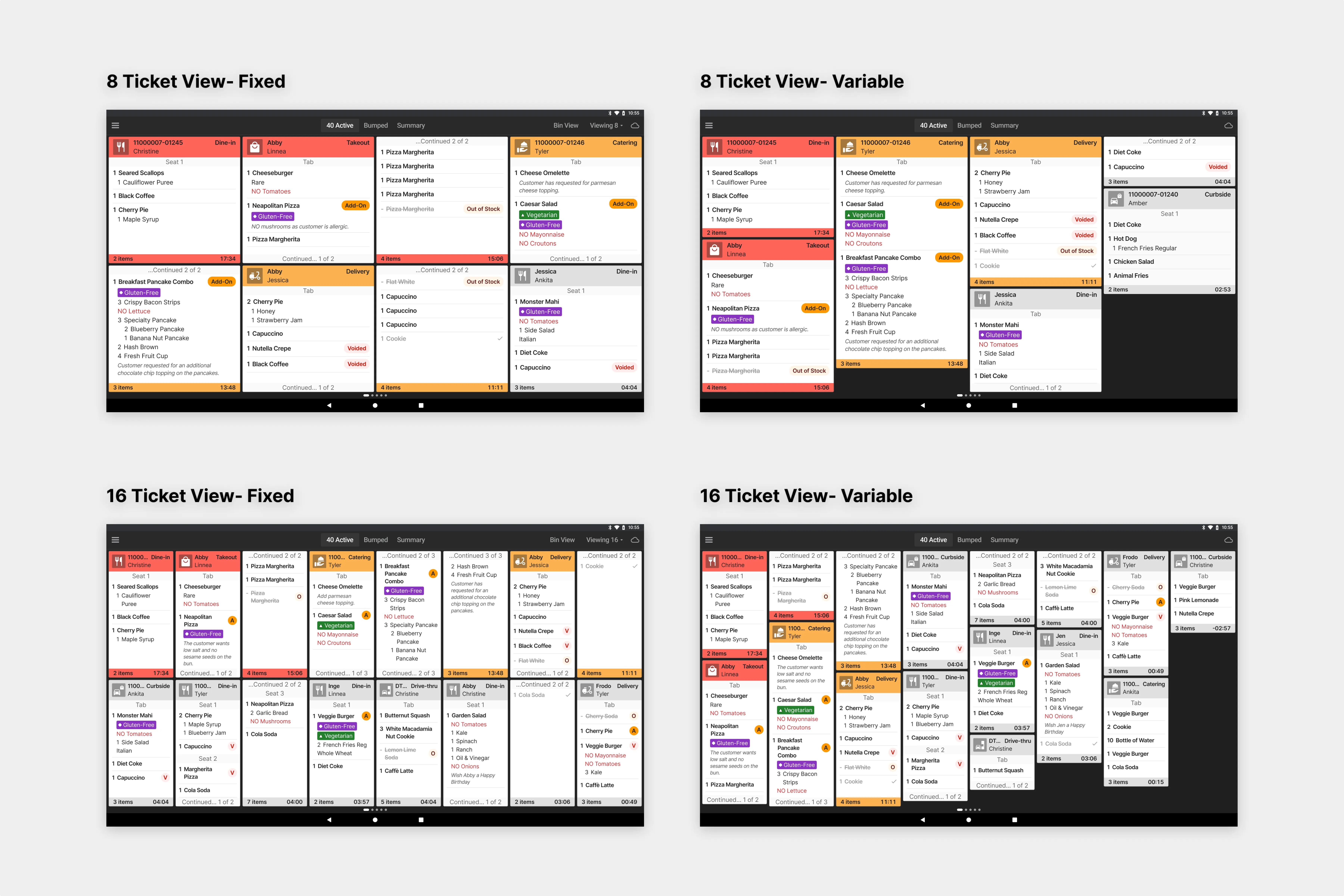
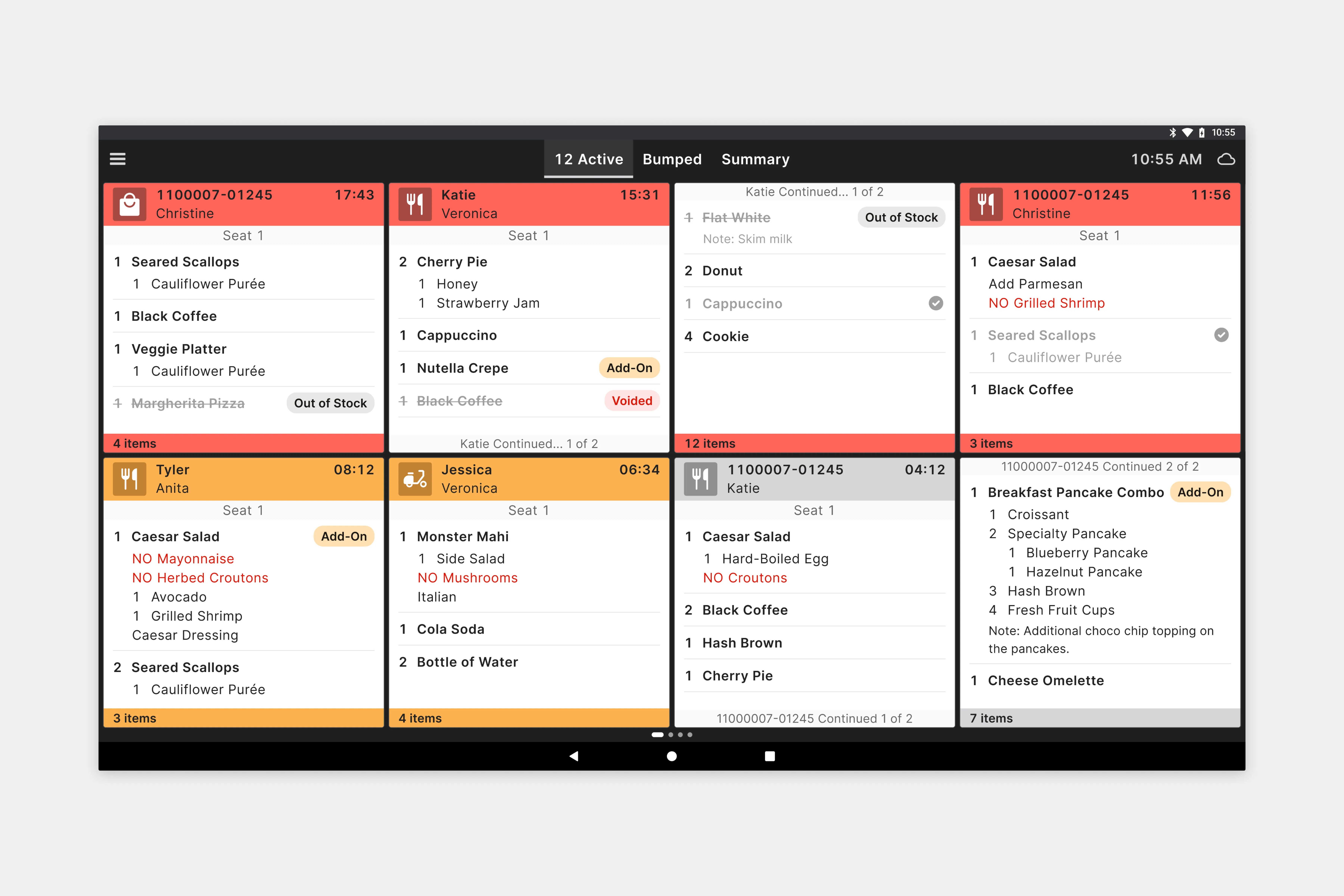
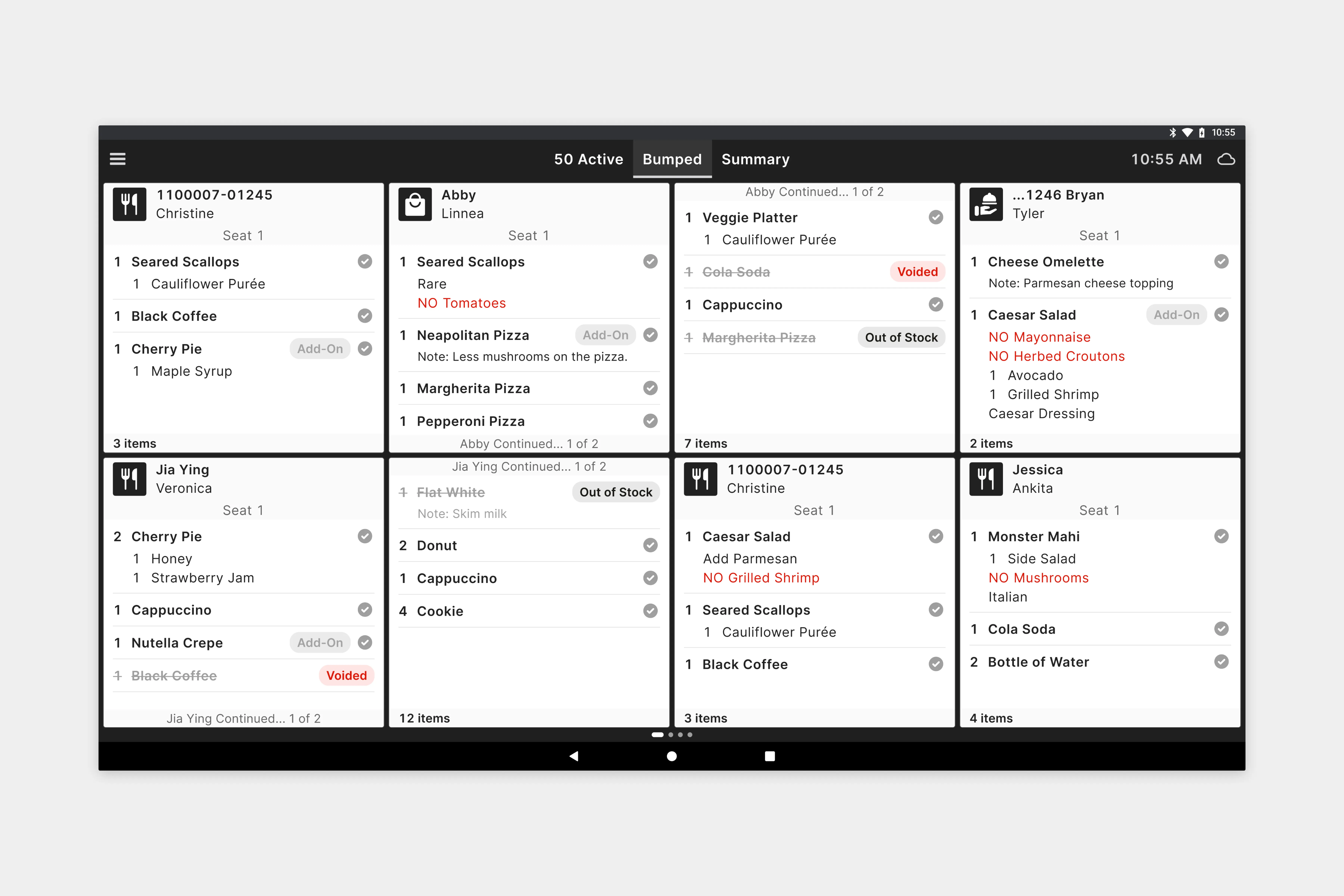
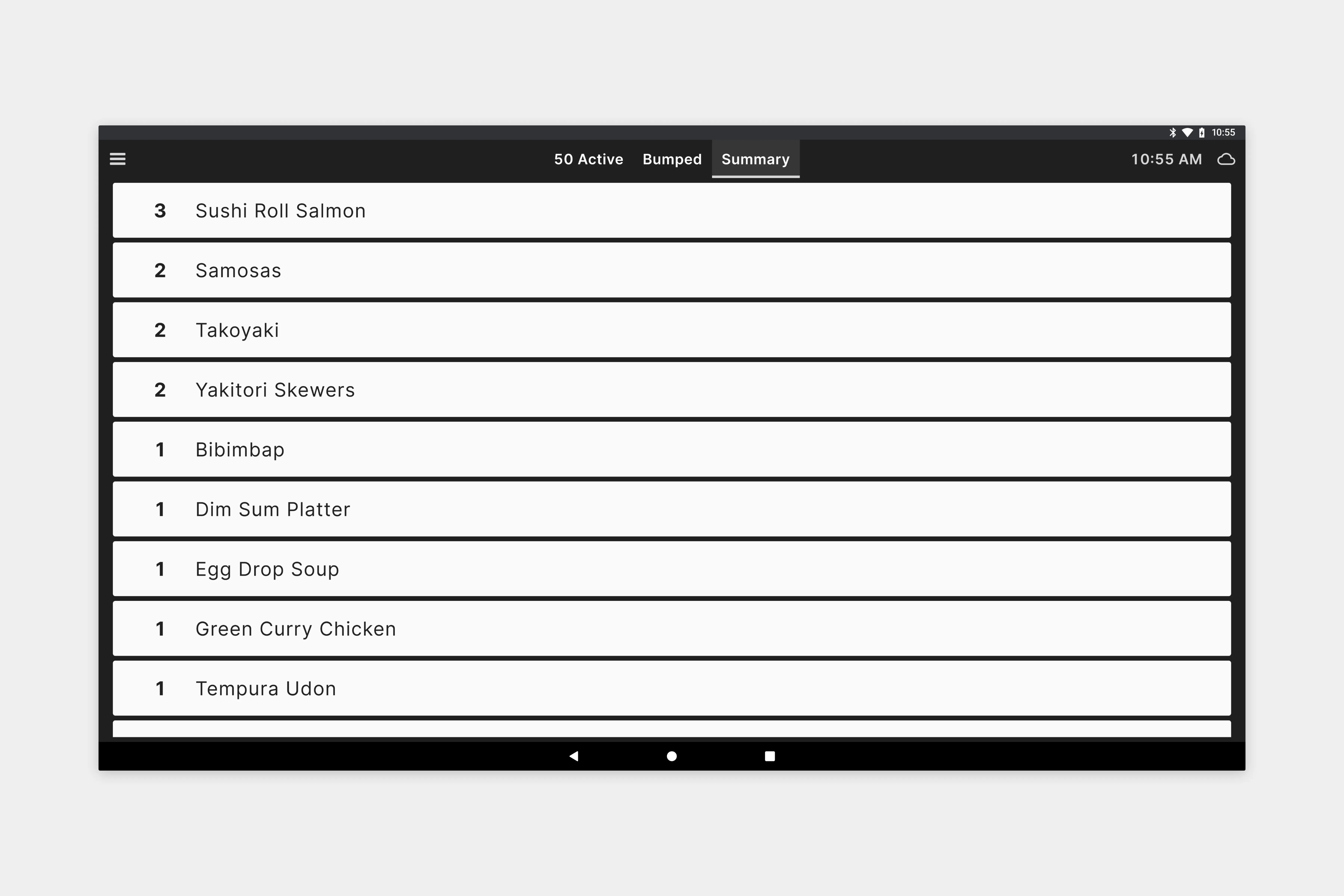
Kitchen staff are usually busy multitasking while preparing food, and they often view the kitchen display from a distance.
It was crucial for our text to be readable at various distances. We implemented kerning adjustments to enhance the visibility of individual letterforms, taking inspiration from real-world traffic signages, so the text on the screen could be read at different distances.

Kitchen staff work in a chaotic environment, where there’s vapour, steam, and they often wear gloves while prepping food, or have greasy fingers. Interacting accurately with the system in such conditions can be challenging.
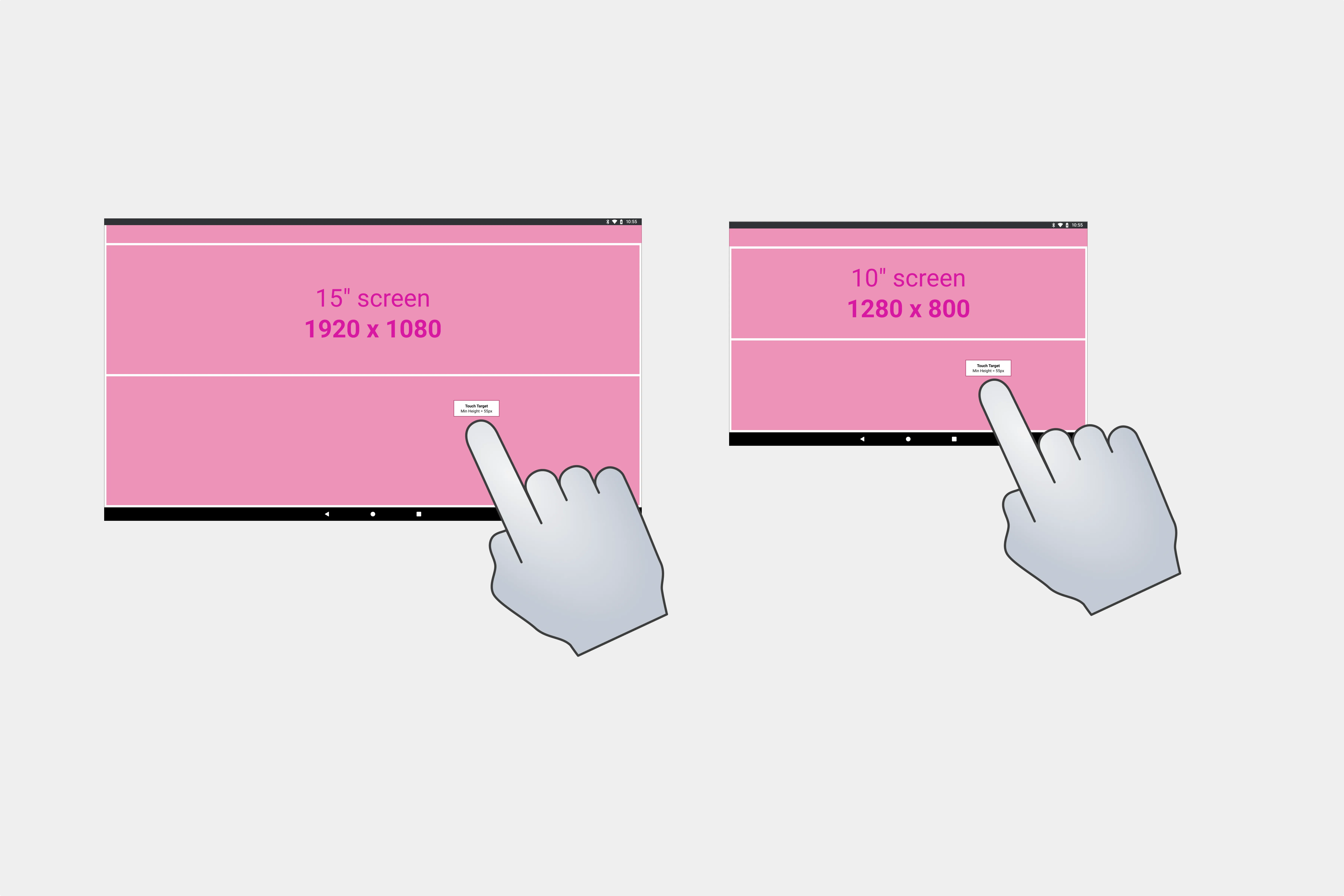
Ensuring large, optimal touch target sizes for all interactive elements was essential to minimise interaction errors.

We ensured that all colors met at least the AA contrast level as specified in WCAG 2.2 standards.
Contrast checks were conducted by comparing the lightest color from the palette against a dark background, and vice versa.

We tested ticket status colors in our palette for color blindness, to ensure that no two colors overlap and cause confusion for individuals with color vision deficiencies.

All touchscreen interactions were designed bearing into account kitchen conditions (steam/water vapour, greasy fingers, and visual noise).
Kitchen staff can bump items (mark items as complete) by tapping individual items on the Active View screen.
Kitchen staff can bump orders (mark orders as complete) by tapping on the ticket header for each order.
Kitchen staff can recall bumped orders by tapping on the ticket header for previously completed orders.
Kitchen staff can reprioritise (or 'rush') orders by long-pressing on the ticket header and selecting the Rush option in the context menu.
Kitchen staff can refire bumped items by long-pressing on an item and selecting the Refire option in the context menu.
The new KDS provided kitchen staff with a more intuitive and efficient interface, making order management and preparation smoother and faster.
This improvement led to a significant reduction in order processing times and errors, boosting overall kitchen productivity.
The kitchen staff were able to easily identify and read items that are voided, out of stock, along with the item modifiers.
Order management was efficient because of the motion treatment and color definition for alerts. This allowed kitchen staff to prioritize orders that required quicker preparation.
Furthermore, the new system enhanced task management by enabling cooks to navigate between different kitchen stations using the KDS and easily bump items and orders for removal from the active view.
→ Next project
